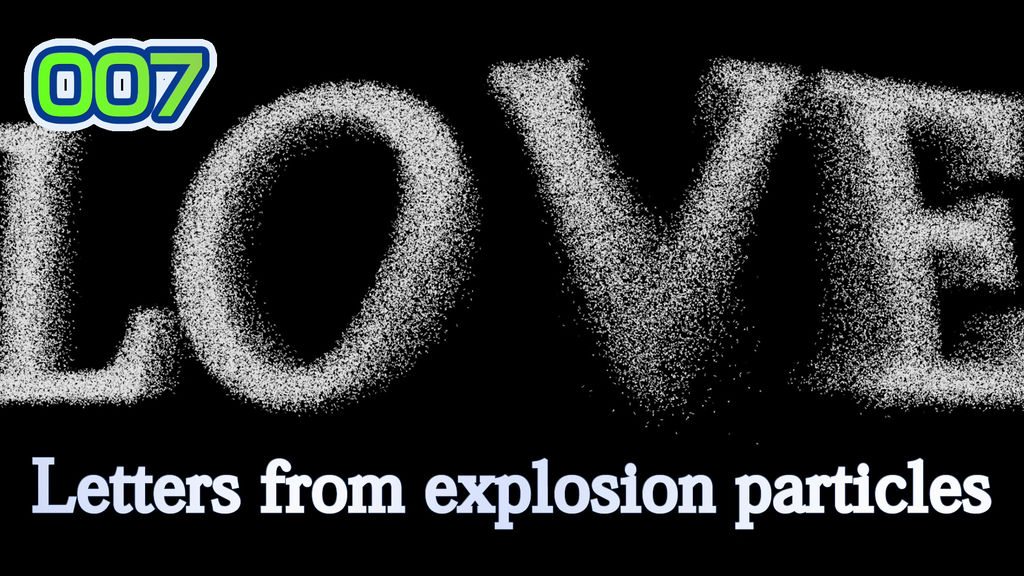
Letter from explosion particles pb007-1
Exploded particles gather and become letters
You can freely change not only the content of the text, but also the size, font, color, etc.
Expression of speed and shadow is also freely. Impressive expressions can be created easily and quickly just by operating the slider.
--Items that can be adjusted
Import into Premier Pro as a motion graphics template (.mogrt file) for easy adjustments
a: text wording
b: text font, style and size
c: scale
d: color and size of border frame 1-3
e: three-dimensional effect of characters
f: Color, size, speed, etc. specific to each product
--Common features (a-design products)
-You can use it just by placing it on the timeline, just like preset effects and captions
-All can be easily adjusted in Japanese
-Intuitive design means you can use it even if you don't understand Japanese
-You can put as many as you like on the timeline. Various expressions are possible, such as shifting the timing and using multiple
-Just import the downloaded [.mogrt] from the menu bar and you can easily use it in the same way as preset effects and telops.
- Can be used for any number of seconds on the timeline. In the case of the lower third, the extension is automatically supported, so the ending animation naturally connects
-You can freely adjust the font, size, color, etc. as well as the content of the text wording, so anyone can easily use it in a variety of ways without complicated programming knowledge.
--How to load into Premiere Pro
1 Copy the downloaded [.mogrt] file to any location on your PC
2 Select [Install Motion Graphics Template] from [Menu Bar] [Graphics and Titles] in Premiere Pro.
Or select the plus sign in the lower right corner of the Essential Graphics window
3 Select the [.mogrt] file in the explorer dialog that opens
4 It will be captured in the [Essential Graphics] window. If you can't find it, search for the name or product number of this product in the search in the [Essential Graphics] window.
--How to make black background transparent
Many materials have a black background. To make this transparent, use [Color Key] from the menu
1 First, place the downloaded [.mogrt] file on the timeline of Premiere Pro.
2 Open the Effects window in Premiere Pro
3 Open the folder [Video Effects] [Keying]
4 Select [Color Key], drag it, and drop it on [.mogrt] on the timeline
5 Check the [Effect Control] window with [.mogrt] selected on the timeline
6 The [Color key] item set just now is added at the bottom. Select the eyedropper tool for [Key Color] here
7 Select the black color of [.mogrt] on the monitor screen with the [Key Color] eyedropper tool. This allows black to pass through
*Please try [Keying] and [Luma Key] in case it looks unnatural.
--To place at any position on the screen
1 Check the [Effect Control] window with [.mogrt] selected on the timeline.
2 Adjust parameters in [Motion]
--Method of parameter adjustment specific to each product
1 Check the [Effect Control] window with [.mogrt] selected on the timeline.
2 Adjust the parameters for each item in it
-- Notice
The photos used are free materials and are not included in the product.
I am using the following site https://www.photo-ac.com/
-- Features of a-design products
- Combining technology, design and ideas -
Mix the rich expressiveness of Premiere Pro with the complex animation of After Effects
Anyone can use it easily, and it is created in a form that can be used immediately just by adjusting the parameters.
Rich expressions made easy. Please check out my other works
--
This is the page of a-design in MotionElements. Hundreds of motion graphics available for download at a flat or affordable price
<a href="https://www.motionelements.com/en/artists/a-design">motionelements: a-design page</a>
a-design provides materials such as telops that are easy to use and can be customized and arranged freely.
<a href="https://a-design.net/">a-design: official page</a>
- Kode
- 25906925
- Type
- Motion Graphics template
- Required software
- Premiere Pro og over
- Filstørrelse
- 244.1 kB
- Lisens
- Royaltyfri