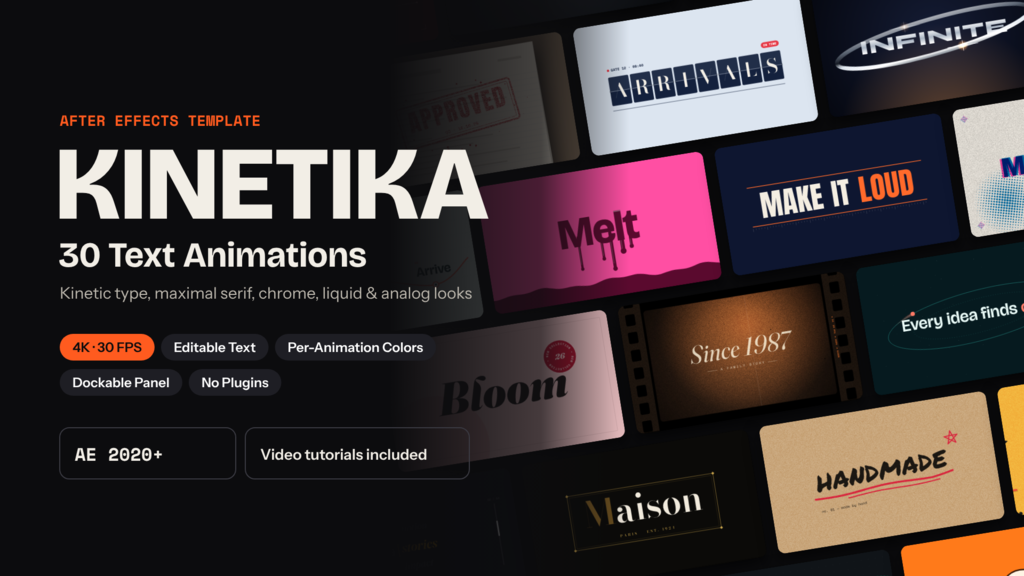
Kinetika – 30 Text Animations for After Effects
Kinetika is a pack of 30 modern kinetic typography text animations for Adobe After Effects. It covers today's typography trends: bold kinetic type, maximal serif titles, liquid and warped lettering, chrome and metal text, bento and scroll layouts, and analog paper textures. Every title is more than moving letters. Each one comes with its own motion graphics: lines, frames, cards, tapes, stamps, rings and routes that follow the length of your text automatically.
Drop the titles into YouTube videos, social media ads, Instagram Reels, TikTok edits, promos, openers, product launches, corporate presentations, event videos and documentaries. Each animation runs 3.6 to 5 seconds, so it works as a title, lower third, word reveal or opener.
KEY FEATURES
- 30 unique text animations in 4K (3840×2160) at 30 fps
- 6 styles: Kinetic Type, Maximal Serif, Warped & Organic, Chrome & Metal, Scroll / SVG / Bento, Analog Texture
- Editable text placeholders: EDIT TEXT, EDIT SUB, EDIT META
- Graphics adapt to your text automatically, with auto-fit for long words
- Color controls per animation, with every color on one CONTROLS layer
- Kinetika panel (ScriptUI): browse with live previews, type your text, set colors, then add to your comp in one click
- Ready-made After Effects project with organized folders (01. Edit and 02 Final)
- 30 single scripts plus a Build All script, so the panel is optional
- No third-party plugins required
- Free fonts included (SIL Open Font License)
- Video tutorials included: panel installation, font installation and editing
- Built-in diagnostics script and font check
- Detailed README
ANIMATION LIST
Kinetic Type: Slot Stack, Pressure Pop, Rhythm Cut, Split Shutter, Orbit Words
Maximal Serif: Editorial Hero, Weight Breath, Drop Cap Luxe, Split-Flap Serif, Big Crop
Warped & Organic: Stretch Grab, Liquid Melt, Wave Warp, Hand Marker, Bulge Lens
Chrome & Metal: Liquid Chrome, Steel Stamp, Holo Titanium, Chrome Ring, Mercury Drop
Scroll / SVG / Bento: Path Draw, Bento Build, Scroll Ticker, Parallax Depth, Route Line
Analog Texture: Paper Cut, Riso Misprint, Rubber Stamp, Film Gate, Tape Label
EASY TO CUSTOMIZE
1. Install the fonts from the Fonts folder.
2. Open Kinetika.aep and go to 01. Edit.
3. Double-click EDIT TEXT and type your words.
4. Select the CONTROLS layer and pick your colors in Effect Controls.
5. Render from 02 Final.
Or use the Kinetika panel to build any animation straight into your own composition.
REQUIREMENTS
- Adobe After Effects 2020 or later (Windows & macOS)
- Expressions: JavaScript engine (set automatically)
- Works in English versions of After Effects; animation 21 (Path Draw) switches to a fallback stroke mode in other languages
- Resolution: 3840×2160 (scales to 1080p and other sizes)
- No plugins required
Music used in the preview is not included.
- Code
- 56489542
- Soort
- After Effects template
- Required software
- After Effects en hoger
- Bestandsgrootte
- 164.2 MB
- Licentie
- Royalty-vrij