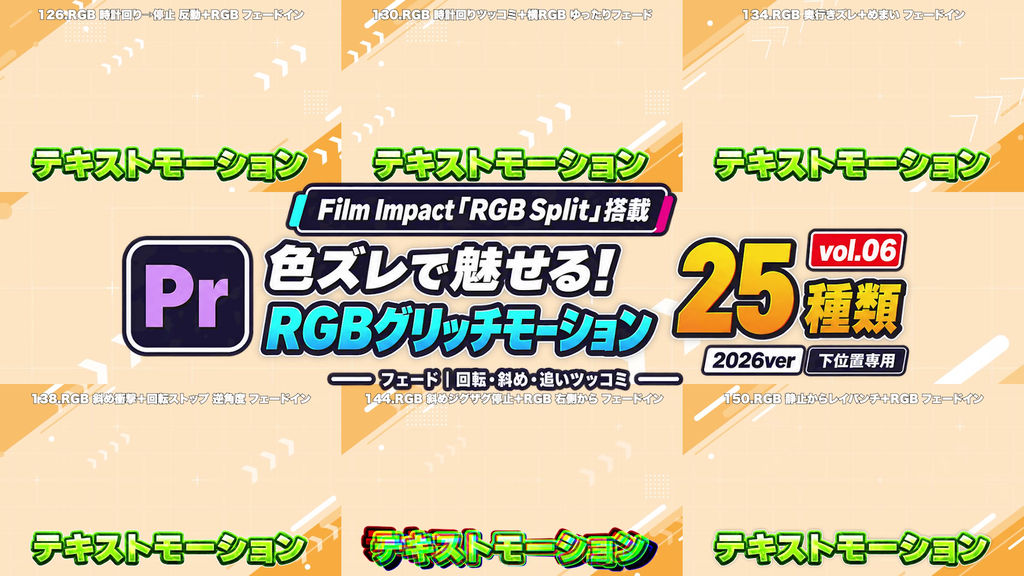
Create eye-catching RGB color-split motion for your text.
This pack contains 25 Adobe Premiere Pro effect presets using Film Impact “RGB Split”.
Vol.06: Fade: Rotation & Impacts
A collection combining fade-ins with rotation, diagonal movement, and follow-up accents. Clockwise and counterclockwise turns, diagonal landings, and delayed RGB settling appear from transparency.
All 25 presets include a fade-in.
━━━━━━━━━━━━━━
■ Features
━━━━━━━━━━━━━━
• Motion designed for text near the bottom of the screen
• RGB color separation combined with movement and deformation
• Animated movement settles back to the original position, scale, and rotation
• Suitable for entertainment videos, YouTube edits, and emphasized on-screen text
━━━━━━━━━━━━━━
■ Included Presets: 25 Variations
━━━━━━━━━━━━━━
• 8 rotation, 11 diagonal/combined, and 6 follow-up-accent presets
• Every preset includes a fade-in
• Includes a longer fade-in variation
01. Clockwise Turn and Stop Recoil + RGB Fade In
02. Clockwise Punch + Horizontal RGB Fade In
03. Abrupt Rotation Stop + Delayed Color Settle Fade In
04. Diagonal Light Rays + Rotating Landing + RGB Fade In
05. Clockwise Punch + Horizontal RGB Longer Fade In
06. Counterclockwise Turn and Stop Recoil + RGB Fade In
07. Rotation Recoil + RGB +24-Degree Start Fade In
08. Abrupt Rotation Stop + Delayed RGB Settle +24-Degree Start Fade In
09. Depth Split + Vertigo Fade In
10. Diagonal Blur + Upper-Right Landing Fade In
11. Diagonal Blur + Upper-Left Landing Fade In
12. Diagonal Impact + Rotation Stop Fade In
13. Diagonal Impact + Rotation Stop Opposite Angle Fade In
14. Side-to-Side Tilt + Cross-Axis RGB Fade In
15. Side-to-Side Tilt + Cross-Axis RGB Opposite Angle Fade In
16. Diagonal Rebound + RGB Fade In
17. Diagonal Rebound + RGB From Above Fade In
18. Diagonal Zigzag Stop + RGB Fade In
19. Diagonal Zigzag Stop + RGB From the Right Fade In
20. Counter-Tilt into Rotation Punch Fade In
21. Triple RGB Pulse Fade In
22. Anticipation into Depth Burst Fade In
23. RGB Anticipation + Delayed Text Punch Fade In
24. Short Light Rays + Double Punch + RGB Fade In
25. Light-Ray Punch from a Hold + RGB Fade In
━━━━━━━━━━━━━━
■ How to Use
━━━━━━━━━━━━━━
1. Launch Premiere Pro.
2. In the Effects panel, choose “Import Presets…”.
3. Import the downloaded preset file.
4. Drag and drop a preset onto your text clip in the timeline.
Film Impact effects used by the presets must be available in your environment.
━━━━━━━━━━━━━━
■ Please Note
━━━━━━━━━━━━━━
• Film Impact plugins are not included.
• Appearance may vary with text length, asset size, and placement. Adjust after applying.
• This product contains the 25 presets in Vol.06. It does not include all 200 presets in the series.
- Code
- 56508219
- Soort
- Premiere Pro effect preset
- Required software
- Premiere Pro en hoger
- Bestandsgrootte
- 19.9 kB
- Licentie
- Royalty-vrij