■ Changing Position, Size, Rotation, Color, and Shadow
Select the "control" null layer in the asset composition.
・Position: Transform > "Position"
・Size: Transform > "Scale"
・Rotation: Transform > "Rotation"
・Color: "Color" in the "color" effect (Fill)
・Shadow color: "Shadow Color" in the "shadow" effect (Drop Shadow)
・Shadow strength: "Opacity" in the "shadow" effect
The shadow opacity is set to 0 by default. To display the shadow, increase the opacity.
■ About the Text
The text is designed as shape layers. The wording and font cannot be changed by typing text.
■ Asset List
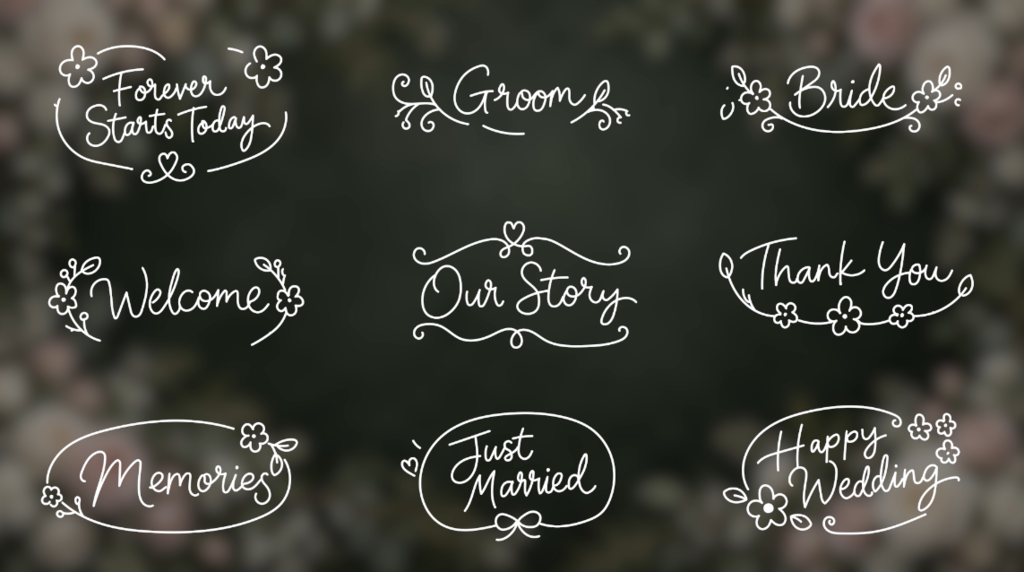
01_forever starts today Forever Starts Today
02_groom Groom
03_bride Bride
04_welcome Welcome
05_our story Our Story
06_thankyou Thank You
07_memories Memories
08_just married Just Married
09_happy wedding Happy Wedding
- Kod
- 56363374
- Typ
- After Effects template
- Required software
- After Effects & över
- Varaktighet
- 00:05
- File size
- 132.8 kB
- Licens
- Royaltyfri