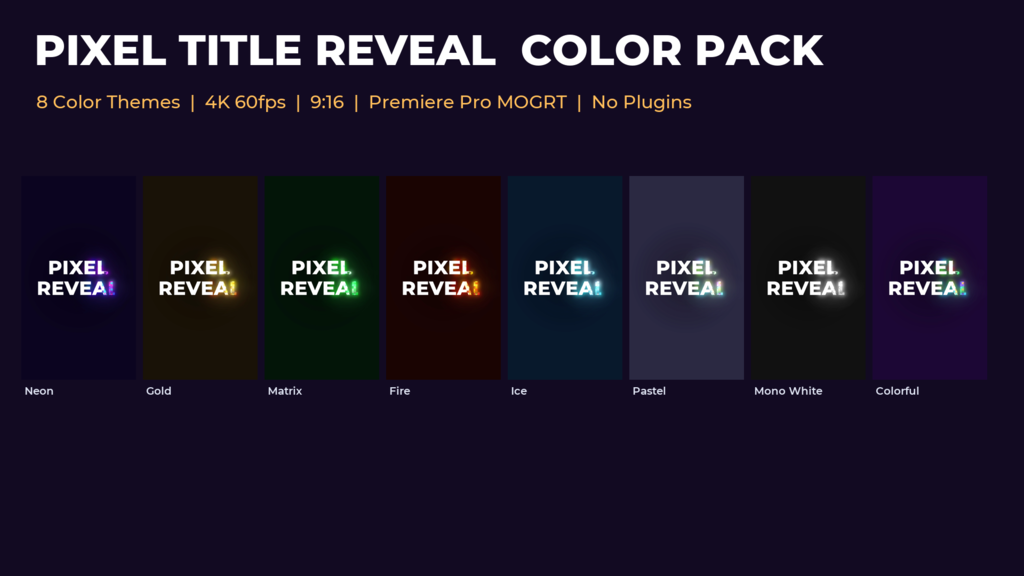
A pixel title animation for Premiere Pro (Motion Graphics Template, .mogrt; 2160x3840, Vertical 9:16, 4K, 60 fps) with 8 ready-made color themes. A rough, pixelated edge sweeps across the text from the side you choose (top, bottom, left, right, or outward from the center), with a glowing, sparkling band of pixels in the colors of the theme, and leaves the clean text behind.
Import the .mogrt in Premiere Pro, place it on a video track and type your text in the Properties panel.
No plug-ins required (standard effects only). Font: Montserrat ExtraBold (free, Google Fonts; link in Fonts.txt).
Features
- 2160x3840 (Vertical 9:16, 4K), 60 fps, 6 sec
- Choose the color theme from a dropdown list: Neon / Gold / Matrix / Fire / Ice / Pastel / Mono White / Colorful (or Custom: your own 5 colors and background)
- Choose the direction from a dropdown list: From Top / From Bottom / From Left / From Right / From Center
- Type your text in the Properties panel (font and font size can be changed)
- Timing, band width, pixel size, edge roughness, custom colors and glow strength in the Properties panel
- Background ON / OFF: OFF = transparent over your video
- No plug-ins required (standard effects only)
- Font: Montserrat ExtraBold (free, Google Fonts; link in Fonts.txt).
- tested on Premiere Pro 2026 (v26.5.2)
- readme (JP/EN) and tutorial (JP) included
Music is not included.
- Kod
- 56620326
- Typ
- Motion Graphics template
- Required software
- Premiere Pro & över
- Varaktighet
- 00:06
- Dimensioner
- 2160px x 3840px
- File size
- 639.4 kB
- Licens
- Royaltyfri
- Text Platshållare
- 1