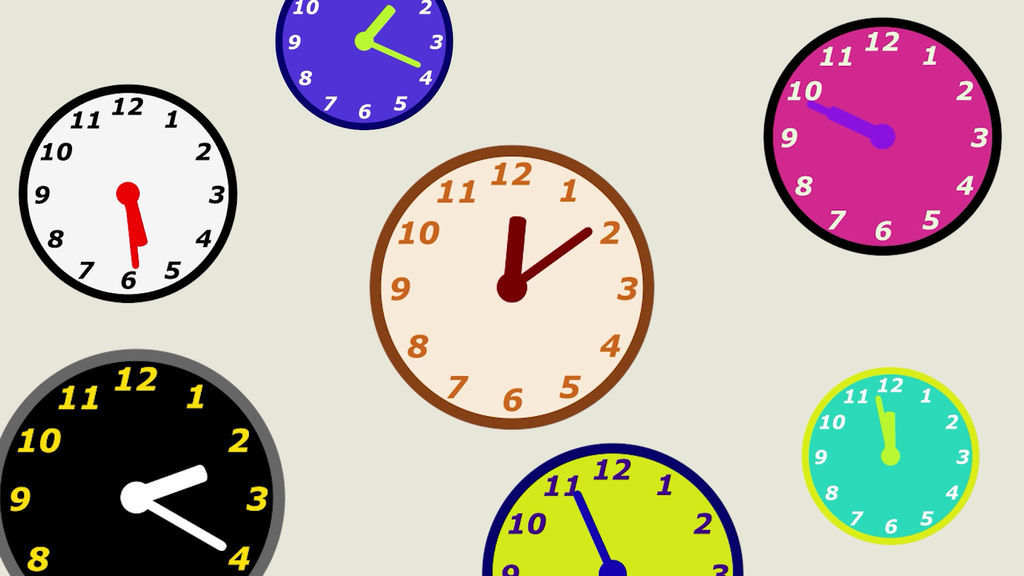
This clock animation template (MOGRT) is designed to be intuitively customizable in Premiere Pro.
The position, size, color, and time settings can be freely adjusted, and the animation feature shows the hands of a clock moving smoothly.
Main features
1️⃣ Position Controls
X Position / Y Position: Adjust the display position of the clock freely.
2️⃣ Size Controls
Clock Size: Change the overall size of the clock.
Number Size: Adjust the size of the numbers on the clock.
3️⃣Time Settings
Hour Slider / Minute Slider: Allows you to manually set the time.
Elapsed Minutes: Manage the minutes elapsed from the current time and control how the hands of the clock move.
4️⃣Animation Time Settings
Start Time / End Time: Allows you to set the start and end time of the clock hand animation.
Example: If start time is 2 seconds and end time is 5 seconds, the hands will move smoothly from 2 seconds to 5 seconds.
5️⃣Color Settings
Color Theme: Select design theme from Vintage / Modern / Night Mode / Custom.
Background color / Clock frame color / Hands color / Numbers color: Custom colors can be adjusted.
How to use
1.Import into Premiere Pro
-Drag and drop MOGRT into the Essential Graphics panel.
2.Customize
-Adjust clock position and size
-Set the time (Hour/Minute)
-Move the clock using Elapsed Minutes
-Set the animation (Start Time / End Time)
-Select a color theme and change the design
You can easily create your own clock design & animation!
- รหัส
- 44276065
- ชนิด
- Motion Graphics template
- Required software
- Premiere Pro ขึ้นไป
- File size
- 6.9 MB
- ใบอนุญาตให้ใช้งาน
- ฟรีค่าลิขสิทธิ์