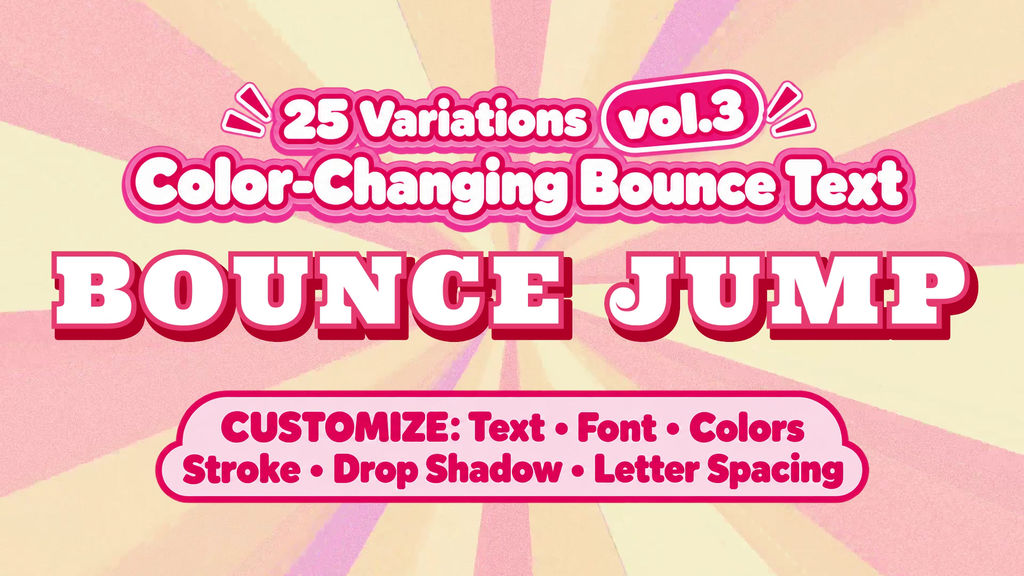
Make your words bounce—and change color!
Volume 3 features 25 playful Motion Graphics templates (MOGRTs) for Adobe Premiere Pro.
Add a cute, energetic touch to YouTube videos, entertainment content, Shorts, narration captions, and highlighted words.
━━━━━━━━━━━━━━
■ FEATURES
━━━━━━━━━━━━━━
• Text changes color as it jumps
• Replace the text and customize the look to match your video
• Adjustable text colors, strokes, and drop shadows
• 25 different animations from those included in Vol.01 and Vol.02
━━━━━━━━━━━━━━
■ INCLUDED
━━━━━━━━━━━━━━
• JUMP COLOR_51–75
• 25 Motion Graphics templates
• File format: .mogrt
Backgrounds and music shown in the preview are not included.
━━━━━━━━━━━━━━
■ CUSTOMIZABLE CONTROLS
━━━━━━━━━━━━━━
• Text
• Font
• Text colors before and after each jump
• Stroke colors and widths
• Drop shadow settings, including color and opacity
• Letter spacing
Templates with three color stages include separate text color, stroke color, and stroke width controls for each stage.
━━━━━━━━━━━━━━
■ HOW TO USE
━━━━━━━━━━━━━━
- Open Adobe Premiere Pro.
- Install the downloaded MOGRT files from the Graphics Templates panel.
- Drag your chosen template onto the timeline.
- Edit the text, font, colors, and other settings in the Properties panel.
━━━━━━━━━━━━━━
■ NOTES
━━━━━━━━━━━━━━
• Adobe Premiere Pro 2026 or later is recommended.
• Install your chosen fonts on your computer.
• Appearance may vary depending on text length, font, and font size. Adjust positioning and letter spacing as needed.
- รหัส
- 56518573
- ชนิด
- Motion Graphics template
- Required software
- Premiere Pro ขึ้นไป
- ช่วงระยะเวลา
- 00:10
- มิติ
- 1920px x 1080px
- File size
- 9.2 MB
- ใบอนุญาตให้ใช้งาน
- ฟรีค่าลิขสิทธิ์
- ตัวยึด text
- 1