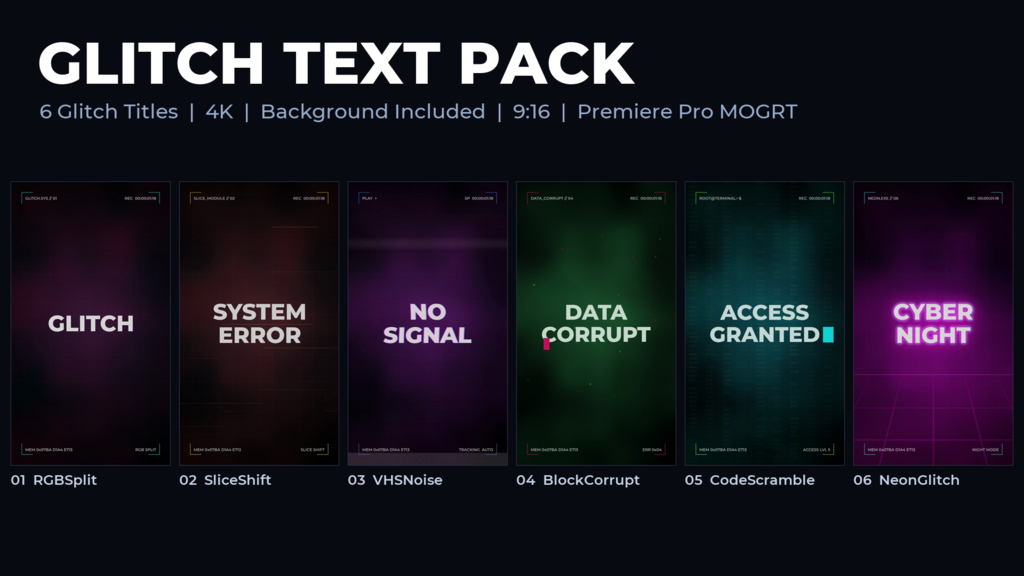
6 glitch text animations for Premiere Pro (6 Motion Graphics Templates, .mogrt) (2160x3840, Vertical 9:16, 4K). Each animation is 4 seconds: the text glitches in, holds with short glitch bursts, and glitches out.
Styles - 01 RGB Split: the text splits into red and cyan copies and horizontal bands jump sideways; 02 Slice Shift: the words are rebuilt from horizontal strips that slide in from both sides; 03 VHS Noise: tape wobble, color bleed, a rolling tracking band and noise at the bottom of the frame; 04 Block Corrupt: blocky mosaic frames, colored data blocks and inverted blocks; 05 Code Scramble: random characters resolve into your words, with a blinking cursor and scrolling hex code behind; 06 Neon Glitch: glowing neon letters flicker on, a ghost copy jumps, over a neon floor grid.
The background is built in, so it works on its own without any other footage. Import the .mogrt files in Premiere Pro, place one on a video track and type your text in the Properties panel. Font and font size can be changed there too, and the colors with Text Color, Accent Color A, Accent Color B and Background Color.
No plug-ins required (standard effects only).
Features
- 2160x3840 (Vertical 9:16, 4K), 30 fps, 4 sec per animation
- 6 glitch styles that share one look: dark background, HUD frame, scanlines and noise
- Background built in: works on its own without any other footage
- Just type your text (font and font size can be changed)
- Colors can be changed: text, two accent colors and background
- No plug-ins required (standard effects only)
- Free font (Montserrat ExtraBold / SemiBold, Google Fonts)
- Premiere Pro 2026 (v26.5, Windows). Other versions have not been tested
- readme (JP/EN) and tutorial (JP) included
Music not included.
- 代码
- 56558221
- 分门别类
- 动态图形模板
- 所需软件
- Premiere Pro 及以上
- 长度
- 00:04
- 长宽
- 2160px x 3840px
- 文档尺寸
- 20.3 MB
- 授权
- 免版税
- 可替换文本
- 1