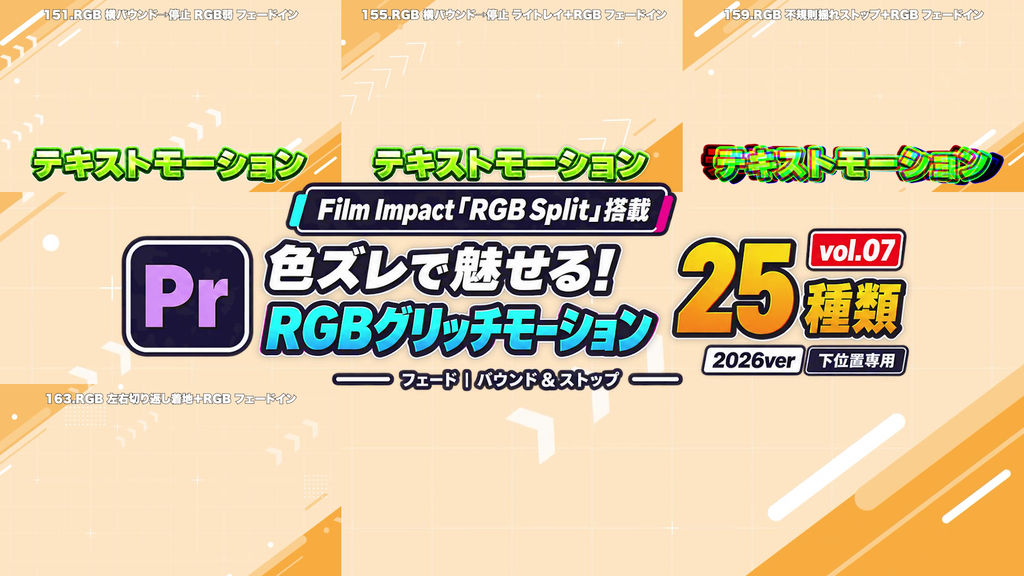
Create eye-catching RGB color-split motion for your text.
This pack contains 25 Adobe Premiere Pro effect presets using Film Impact “RGB Split”.
Vol.07: Fade: Bounce & Stop
A collection combining fade-ins with horizontal and vertical bounces and shakes. Text appears from transparency while it rebounds, settles, and comes to a stop.
All 25 presets include a fade-in.
━━━━━━━━━━━━━━
■ Features
━━━━━━━━━━━━━━
• Motion designed for text near the bottom of the screen
• RGB color separation combined with movement and deformation
• Animated movement settles back to the original position, scale, and rotation
• Suitable for entertainment videos, YouTube edits, and emphasized on-screen text
━━━━━━━━━━━━━━
■ Included Presets: 25 Variations
━━━━━━━━━━━━━━
• 14 horizontal and 11 vertical presets
• Every preset includes a fade-in
• Includes a delayed fade-in with three-stage horizontal damping
01. Horizontal Bounce and Stop Subtle RGB Fade In
02. Horizontal Bounce and Stop Strong RGB Fade In
03. Horizontal Bounce and Stop Delayed RGB Settle Fade In
04. Horizontal Bounce and Stop Blur + RGB Fade In
05. Horizontal Bounce and Stop Light Rays + RGB Fade In
06. Horizontal Bounce and Stop White Flash + RGB Fade In
07. Horizontal Bounce and Stop Recoil + RGB Fade In
08. Horizontal Shake Stop + Following Color Split Fade In
09. Irregular Shake Stop + RGB Fade In
10. Fine Shake + Brief Glow + RGB Fade In
11. Three-Stage Horizontal Damping + RGB Fade In
12. Rotation into Horizontal Rebound + RGB Fade In
13. Side-to-Side Reversal Landing + RGB Fade In
14. Three-Stage Horizontal Damping + RGB Delayed Fade In
15. Vertical Bounce and Stop Subtle RGB Fade In
16. Vertical Bounce and Stop Strong RGB Fade In
17. Vertical Bounce and Stop Delayed RGB Settle Fade In
18. Vertical Bounce and Stop Light Rays + RGB Fade In
19. Vertical Bounce and Stop White Flash + RGB Fade In
20. Vertical Bounce and Stop White Bloom + RGB Fade In
21. Vertical Bounce and Stop Recoil + RGB Fade In
22. Vertical Shake Stop + Lingering Depth Split Fade In
23. Light Source Above + Vertical Bounce + RGB Fade In
24. White Flash + Vertical Recoil Fade In
25. Up-Down Reversal Landing + RGB Fade In
━━━━━━━━━━━━━━
■ How to Use
━━━━━━━━━━━━━━
1. Launch Premiere Pro.
2. In the Effects panel, choose “Import Presets…”.
3. Import the downloaded preset file.
4. Drag and drop a preset onto your text clip in the timeline.
Film Impact effects used by the presets must be available in your environment.
━━━━━━━━━━━━━━
■ Please Note
━━━━━━━━━━━━━━
• Film Impact plugins are not included.
• Appearance may vary with text length, asset size, and placement. Adjust after applying.
• This product contains the 25 presets in Vol.07. It does not include all 200 presets in the series.
- Code
- 56508223
- Typ
- Premiere Pro effect preset
- Required software
- Premiere Pro und höher
- Dateigröße
- 27 kB
- Lizenz
- Lizenzfrei