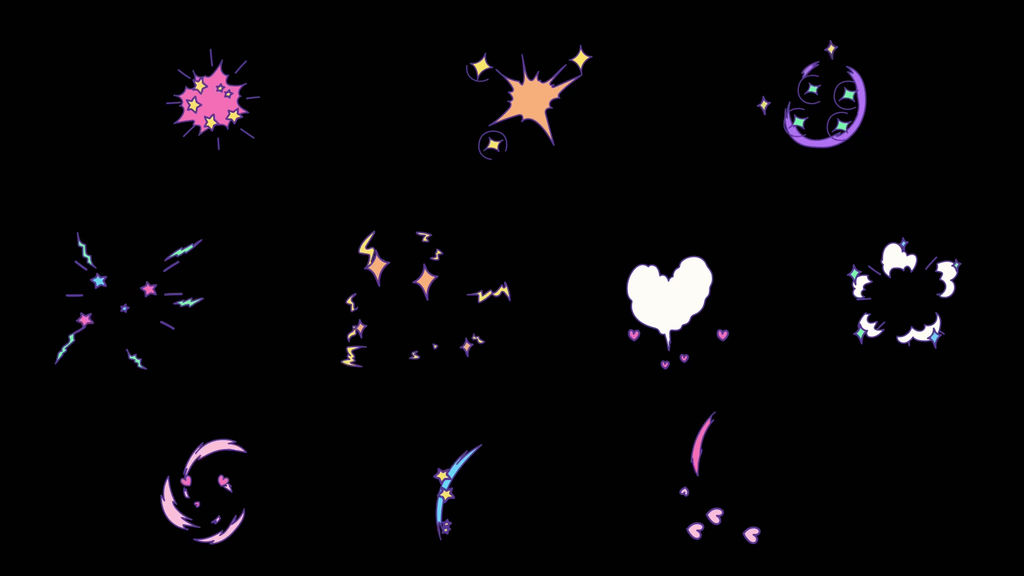
■ Contents
01_Effects.mogrt – 10_Effects.mogrt (10 types in total)
■ Specifications
・Template resolution: 1920 × 1080 px (Full HD)
・Frame rate: 24fps (animated on twos / effectively 12fps motion)
・Default duration: 16 frames each / approx. 0.67 seconds
・Format: Motion Graphics Template (.mogrt)
■ How to Use
1. Open a project and sequence in Premiere.
2. Install the .mogrt file you want to use from the "Graphics Templates" panel.
3. Drag the asset from "My Templates" onto the timeline.
4. Select the placed clip and adjust each setting in the "Properties" panel.
*Panel names and layouts may vary depending on your version of Premiere.
■ Settings
・position: Position
・size: Size
・rotate: Rotation
・color_01–: Colors
*The default size is 70% for 01 and 75% for 02–10.
■ Color Settings
・01, 02, 05, 06, 08, 09, 10: color_01–color_03
・03, 04, 07: color_01–color_04
*The parts each color applies to differ for each asset. Please adjust while checking the preview.
■ Tips
・
- 코드
- 56607015
- 종류
- 모션 그래픽 템플릿
- 필수 소프트웨어
- Premiere Pro 이상
- 크기
- 1920px x 1080px
- 파일 크기
- 958.9 kB
- 라이선스
- 로열티프리(RF)