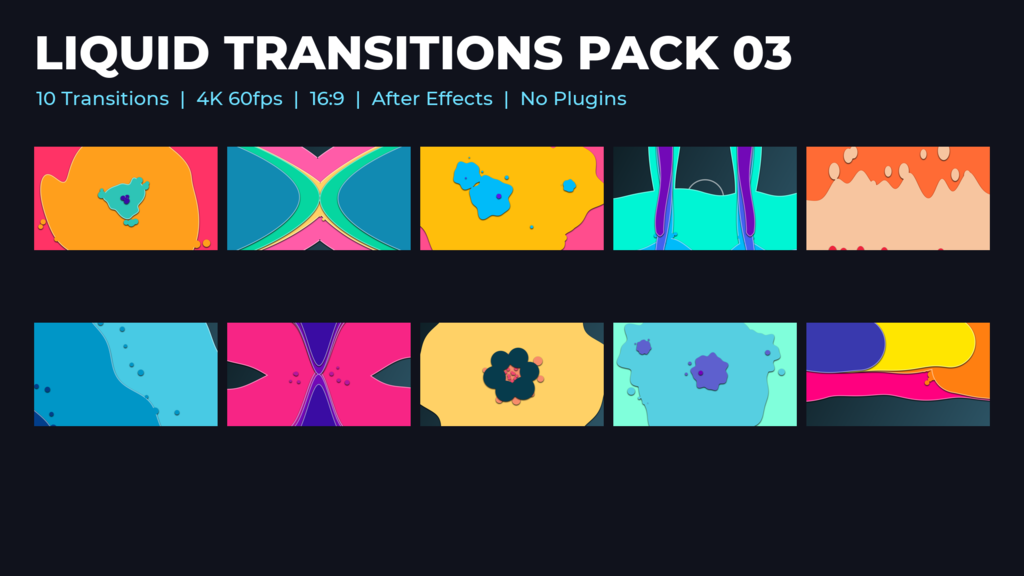
10 lively, smooth colorful liquid transitions for After Effects (10 compositions in one project) (3840x2160, Horizontal 16:9, 4K, 60 fps). Four liquid layers flow in one after another, cover the whole frame while Scene A cuts to Scene B at 1.0 sec, and open to reveal Scene B.
Put your clips into the Scene A and Scene B comps (01_Edit folder) and all 10 transitions use them. Turn off Background ON for the liquid layers only with transparency.
No plug-ins required (standard effects only). No fonts used.
Features
- 3840x2160, Horizontal 16:9, 4K, 60 fps, length 2 sec (cut at 1.0 sec), 8 bpc
- 10 transitions: 21 Splash Vortex: three spiral vortex arms whip in with flying droplets; 22 Jelly Bounce: two jelly tongues collide and bounce elastically at center; 23 Ink Bloom: four organic ink petals bloom and fuse smoothly; 24 Curtain Pour: two curved streams pour down into a splashing sloshing pool; 25 Lava Rise: viscous lava plumes rise upward and fuse with droplets; 26 Tidal Curl: a diagonal breaking wave with curling crests sweeps across; 27 Pinch Stream: top and bottom liquid tongues stretch, snap together and swell; 28 Orbit Drops: six drops spiral inward to collide and burst outward; 29 Ripple Puddle: five rippling puddles spread asynchronously and merge; 30 Brush Sweep: energetic S-curving calligraphic ribbons sweep across
- 4 colors (Color 1 - 4), Wobble (%), Gloss (%) and Shadow (%) on the Control layer of each comp
- After Effects: Scene A / Scene B shared by all 10 comps, Background ON / OFF (OFF = transparent)
- No plug-ins required (standard effects only)
- No fonts used
- After Effects 2025 or later (made and tested on v25.6)
- readme (JP/EN) and tutorial (JP) included
Music and footage are not included (the scenes in the preview are simple placeholders).
- Code
- 56689870
- Type
- After Effects template
- Required software
- After Effects & above
- File size
- 706.9 kB
- License
- Royalty-Free